 Start Service Request

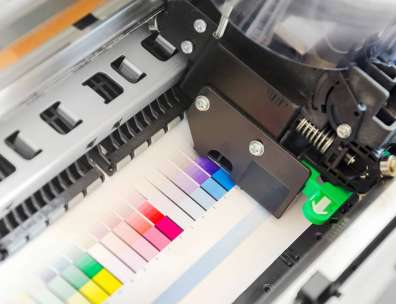
Choosing the right printer for your business is not just a hardware decision. It affects checkout speed, back-office workflow, customer communication, document security, and the cost of everyday operations. This guide gives practical printer buying advice to help Oklahoma businesses find the right printer fit for their workflow and budget.
For business owners, the right device should support the way your team actually works. That may mean fast black-and-white invoices, crisp color signage, secure employee records, mobile printing from any location, or a reliable all-in-one device that keeps daily tasks moving.
What Should a Business Consider Before Buying a Printer?
A business should consider print volume, print speed, security, color needs, workflow, service support, and total operating costs before choosing a printer. The best device is not always the one with the lowest purchase price; it is the one that can handle your real workload without slowing staff down or creating surprise supply and repair expenses.
Start by looking at how paper moves through your business. A business may print receipts, shelf tags, sales reports, training materials, vendor paperwork, shipping labels, promotional flyers, and customer forms. A printer that looks affordable on day one can become expensive if toner runs out quickly, paper jams interrupt work, or staff must walk across the building for every scan.
JD Young Technologies helps businesses think beyond the machine itself. As Oklahoma’s designated business solution experts, our team can help evaluate how the printer fits into daily operations, customer service goals, security needs, and long-term cost control.
Print Volume is the First Practical Filter
Print volume tells you how much work the printer must handle in a normal month. If your team prints only a few invoices and reports, a compact device may be enough. If you print batches of labels, customer packets, training documents, or promotional pieces, you need equipment designed for heavier use.
A common buying mistake is choosing a printer that can technically print the number of pages you need, but only at the edge of its capacity. When a device is constantly pushed too hard, it may slow down, wear faster, or need more service. A better approach is to choose a printer that can comfortably support your average volume, with room for seasonal spikes.
Businesses should pay special attention to busy periods. Holiday sales, inventory counts, special events, and new product launches can all increase printing. If you regularly need marketing materials or operational documents on short notice, your printer should be able to meet that demand without creating a bottleneck.
Use this simple volume review before comparing models:
- Count how many reams of paper your team uses in a normal month.
- Separate routine printing from promotional or seasonal printing.
- Note which departments print the most and why.
- Identify jobs that are delayed because the current printer is too slow or unreliable.
- Decide whether color printing is occasional, weekly, or central to your customer experience.
This early review helps narrow the field before you spend time looking at features you may not need.
Speed Matters When Customers and Staff Are Waiting
Print speed is often listed in pages per minute, but real-world speed depends on the job. A one-page receipt, a two-sided staff manual, and a color flyer all place different demands on the machine. For businesses, speed matters most when printing supports customer service or time-sensitive work.
If staff are waiting for product tags before opening, or managers are delayed by slow end-of-day reports, the printer is affecting productivity. If a customer is standing nearby while an employee prints a contract, return form, or service agreement, a slow printer becomes part of the customer experience. Small delays, repeated many times, add up.
When comparing the best office printers, look beyond top speed. Ask how quickly the first page comes out, how the device handles two-sided printing, and whether scanning speed matches your document flow. A printer that is fast only under ideal conditions may not feel fast in daily use.
For many small businesses, the best all in one printer for small business use is one that balances speed with scanning, copying, and secure network access. It should help employees finish common tasks with fewer steps, not just print pages quickly.
Security Belongs in Every Printer Decision
Modern printers are connected business devices. They may store documents, connect to networks, accept mobile print jobs, scan files to email, and handle information about customers, employees, vendors, or finances. That makes security a core part of choosing the right printer for your business.
Printer security can touch many areas: employee records, customer account forms, purchase orders, payroll reports, card processing paperwork, and supplier agreements. If sensitive pages sit in an output tray, are sent to the wrong device, or remain stored on an unsecured machine, the risk is not theoretical. It is operational.
Security features to consider include:
- User authentication before releasing print jobs
- Role-based access for color printing, scanning, or administrative settings
- Encrypted data transmission between computers and printers
- Secure erase or overwrite features for stored documents
- Activity tracking for sensitive print and scan jobs
- Firmware and software update support
- Network setup that limits unnecessary exposure
Security also supports accountability. When employees know documents are released only after login or badge access, sensitive paperwork is less likely to be left unattended. This is especially valuable in stores, clinics, offices, schools, and service businesses where team members share devices.
Operating Costs Decide Long-Term Value
The purchase price is only one part of the cost. Toner, ink, drums, maintenance, paper, downtime, energy use, repair calls, and employee time all affect the real number. This is why printer buying advice should always include total operating cost, not only the upfront expense.
A low-cost printer may use expensive cartridges. A high-capacity device may cost more at first but deliver a lower cost per page. A color printer may be a smart investment if it helps you create signs, flyers, coupons, and customer-facing materials in-house. But if color access is not controlled, unnecessary color printing can raise costs quickly.
Ask these cost questions before you buy:
- How much do replacement toner or ink supplies cost?
- How many pages can each supply set reasonably produce?
- How often will parts need service or replacement?
- Is maintenance included in a service agreement?
- How much downtime can the business tolerate?
- Can usage be tracked by user, department, or device?
- Will the printer reduce outsourcing or create new internal work?
For businesses comparing business printing solutions, the best answer may be a managed print approach. JD Young’s managed print services can help monitor device use, simplify supply management, reduce waste, and create better visibility into printing habits.
The Main Printer Types for Small Business Use
Not every business needs the same equipment. The best printer for small business depends on what you print, how often you print, and how closely printing connects to sales, service, and administration.
Desktop printers
Desktop printers are useful for low-volume areas, private offices, or small teams with simple needs. They are usually compact and easy to place near the people who use them. For a smaller office, one desktop printer may be enough for basic reports, vendor documents, and occasional customer forms.
The limitation is capacity. Desktop printers are not ideal for heavy daily use, frequent scanning, shared department access, or larger paper handling needs. If several employees depend on one small device, the savings may disappear through slow output, supply changes, and interruptions.
Multifunction printers
Multifunction printers combine printing, copying, scanning, and often faxing in one device. For many businesses, this is the practical center of the office. A strong multifunction device can reduce the number of machines you manage and give employees one reliable place for daily document work.
If you are looking for THE all in one printer for small business, focus on workflow. The right device should scan to email or folders, print from approved devices, copy quickly, and support the security features your business needs. JD Young offers multifunction devices and copiers that are suited for offices that need print, scan, copy, and fax capabilities in one system.
Color printers
The best color printer for small business use depends on how important color is to your brand and customer experience. Businesses may use color for signs, sales sheets, menus, product information, and event notices. Good color output can make printed materials look more professional and consistent.
Color should still be managed carefully. If every internal draft prints in color, costs can rise. Look for access controls, default black-and-white settings, and reporting tools that help your team use color where it adds value.
Wide format and specialty printers
Some businesses need more than standard letter, legal-size output or ledger-sized documents. Wide format devices can support posters, banners, plans, displays, and other larger materials. Specialty printing may support unique marketing or operational needs that standard office printers cannot handle.
For businesses that rely on larger printed materials, JD Young provides wide format devices that can support broader print and scanning needs. These devices are worth considering when oversized documents are part of the normal workflow rather than a rare exception.
Production printers
Production printers are designed for high-volume, demanding print environments. They make sense when printing is no longer a side task but a major business function. Examples include internal print rooms, marketing departments, schools, organizations producing frequent packets, and companies that want more control over outsourced print jobs.
If your business prints large runs or needs polished output on a regular basis, review JD Young’s production printers. Production equipment can support heavier workloads, faster turnaround, and more control over finished materials.
How Does the Right Printer Improve Customer Experience?
The right printer improves customer experience by helping employees work faster, present cleaner materials, and access information with fewer delays. The printer may not be the first tool customers notice, but it often supports the moments that shape trust: returns, quotes, orders, service records, loyalty documents, and follow-up materials.
A reliable printer helps the front counter feel organized. Employees do not need to apologize for delays caused by jams, missing supplies, or hard-to-read documents. Managers can prepare staff materials before the rush. Marketing teams can update in-store signage quickly when prices, promotions, or inventory change.
Technology integration matters here. A printer that connects smoothly with your devices, customer relationship tools, document storage, and network can reduce duplicate work. For a business owner trying to strengthen customer relationships, that time matters. Every minute saved on paperwork can be spent helping customers, coaching staff, or improving the sales floor.
A Checklist for Choosing the Best Office Printer
Use this checklist when evaluating your current print setup. It will help you separate useful features from distractions.
- Workflow fit: Does the printer support the tasks your team performs every day?
- Monthly volume: Can it handle average and peak printing without strain?
- Speed: Is it fast enough for customer-facing and time-sensitive work?
- Color needs: Is color essential, occasional, or unnecessary for most jobs?
- Scanning needs: Can it scan to email, folders, or business systems your team uses?
- Security: Does it protect sensitive customer, employee, and financial information?
- User access: Can you control who prints, scans, and uses color?
- Operating cost: Do you understand toner, service, maintenance, and downtime costs?
- Space: Will the device fit comfortably without disrupting traffic or workstations?
- Service support: Is local service available when the device needs attention?
- Growth: Can the printer support expansion, added users, or new locations?
This checklist keeps the conversation grounded. It also helps you explain your needs clearly when speaking with a print expert.
Local Support Matters
Local support can make a major difference in printer satisfaction. When a device goes down, your business needs help that understands your schedule, your market, and your urgency. That is especially true for medical offices, schools, law firms, accounting teams, and any business that depends on documents to serve customers.
JD Young Technologies is located in Tulsa, Oklahoma and services customers in the Oklahoma City region. That local presence matters because choosing equipment is only the beginning. Installation, training, supplies, maintenance, and responsive service all shape whether the printer remains a helpful tool or becomes a recurring problem.
When working with JD Young, you are working with a provider that understands Oklahoma businesses. A single-location, growing regional office, and a high-volume administrative team may all need different recommendations. Local business solution experts can evaluate the environment in person, ask better questions, and help align print decisions with budget and workflow.
When Managed Print Services Are the Better Answer
Sometimes the question is not “Which printer should I buy?” but “How should we manage printing across the business?” If you have multiple devices, unclear supply costs, frequent service issues, or no way to track print use, managed print services may be the stronger path.
Managed print can help businesses gain control over print behavior. It can reveal which devices are overused, which are underused, and where costs are hiding. MPS can simplify billing as you’d receive one invoice for all equipment for supplies and service. It can also simplify supply ordering and reduce the chance that staff discover an empty toner cartridge at the worst possible time.
Managed print also supports consistency. If your team uses the right device for the right job, you can reduce waste and improve document quality. If reports show that color use is climbing without a clear business reason, you can adjust settings or permissions. If one printer is slowing the store down, you can address it with data rather than guesswork.
To explore options, visit our managed print services page and request guidance based on your current print environment.
How JD Young Helps Businesses Make the Right Choice
JD Young brings a practical, consultative approach to business printing solutions. Rather than treating every printer as a standalone purchase, the team looks at how documents move through the organization and how technology can support better service, efficiency, and cost control.
Our productive printer consultation should cover:
- Current print, copy, and scan volume
- Common document types and paper sizes
- Customer-facing print needs
- Current equipment issues
- Network and security requirements
- Color and finishing needs
- Supply and service expectations
- Budget and total cost goals
This approach is especially valuable for small to medium-sized businesses that cannot afford trial-and-error technology decisions. The best office printers are the ones that fit the business today while leaving room for tomorrow’s needs. JD Young can help compare options, identify hidden costs, and match equipment to actual use.
Connect with JD Young
Choosing the right printer for your business means choosing a tool that supports people, process, and customer experience. Evaluate print volume, speed, security, and overall operating costs before focusing on brand names or purchase price. The best printer for businesses small and large is the one that fits your workflow, protects your information, and keeps daily work moving.
If you are searching for printers in Oklahoma or need practical printer buying advice, JD Young can help. Connect with our Tulsa-based team or visit our office printer and copier solutions page to find the right fit for your business’ workflow and budget.